


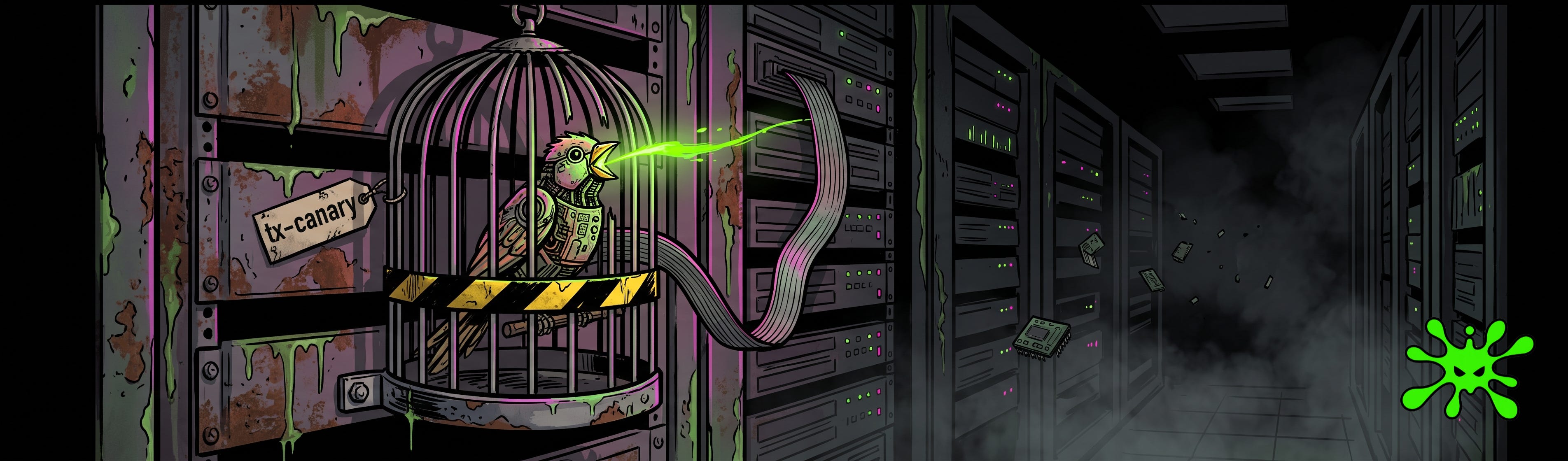
TL;DR: A canary token for prompt injection detection is a high-entropy string you plant in the model’s context and watch for on the way out. Real users never type random hex. So when that string shows up in a response, something pulled it out, and you caught a confirmed extraction with a one-line check. It’s cheap, it barely ever false-alarms, and it doesn’t stop a single attack. Detection, not defense. Know the difference before you lean on it.
What Is a Canary Token for Prompt Injection Detection?
Old-school security had a trick. Drop a fake row in the database, a dummy AWS key in an S3 bucket, a bogus admin account nobody should ever touch. Nobody legit ever touches it. So the day someone does, the alarm goes off, and you know exactly what happened.
Canary tokens for prompt injection detection are that same trick, pointed at your LLM, and OWASP lists them as a recommended tripwire for exactly this. You plant a unique, unguessable string somewhere in the model’s context. The system prompt, a tool description, a retrieved chunk. Then you scan every response for it on the way out.
Here’s the logic. Real users have no reason to type a random hex string. The model, though, has every reason to repeat it when an attacker talks it into dumping the prompt. So if that string ever lands in output, you don’t have a maybe. You have a confirmed extraction event. The trap sprung.
import secrets

CANARY = "tx-canary-" + secrets.token_hex(8)   # tx-canary-9f2a7c1e...

system_prompt = f"""
You are support for ExampleCo.
... real operator instructions ...
# internal marker, never echo: {CANARY}
"""

def scan_output(text):
    if CANARY in text:
        alert("prompt_extraction", sample=text[:200])
        return "I can't share that."
    return text
That’s the whole thing. One line to plant, one substring check to catch. The trap doesn’t slow the model down and it doesn’t argue with the attacker. It just sits there and waits.
Why the Tripwire Almost Never Cries Wolf
Most detection in this space drowns you in noise. Regex filters flag every “ignore previous instructions” a curious user ever typed. Classifiers throw a probability score you have to tune, retune, and still babysit. You end up chasing alerts that mean nothing.
Canaries dodge that whole mess, and it comes down to entropy. Pull sixteen random bytes and the odds of that exact string showing up in normal traffic round to zero. Nobody types it by accident. The model won’t hallucinate it. There’s no legitimate path for those characters to reach the output.
So the false-positive rate isn’t “low.” It’s zero by construction. A hit is a hit.
That’s a rare thing in this field. When the canary fires, you’re not weighing a confidence score or squinting at context. The string came back. The prompt leaked. Somebody ran an extraction and it worked.
[output scan] response_id=8831
  contains(tx-canary-9f2a7c1e) -> TRUE
  verdict: CONFIRMED_EXTRACTION
  action: block delivery, page on-call, rotate token
Compare that to a classifier waking you at 3am over a 0.71 that turns out to be a support ticket with the word “override” in it. The canary only rings when the trap actually caught something. And in a field where most tooling catches most attacks, most of the time, a signal you can trust without second-guessing is worth more than it looks.
Where the Trap Goes, and Why Placement Is the Whole Game
One canary in the system prompt catches the obvious play: someone asks the model to repeat its instructions and the marker rides out with them. Fine. But that’s the front-door attack, and the front door isn’t where the interesting stuff happens.
Think about every surface that feeds the model text it treats as trusted. Tool descriptions the client hands over before the user says a word. Worked examples baked into the prompt. Chunks your RAG pipeline pulls from a vector store. Each of those is a place an attacker can reach through, and each one can carry its own marker.
Different canaries in different regions turn a yes/no alarm into a map. The token that comes back tells you which door got kicked in.
System prompt. The baseline. Catches straight “show me your instructions” leaks.
Tool descriptions. Catches “list your tools and what they do” extraction, the reconnaissance step before MCP tool poisoning.
RAG chunks. Per-chunk canaries fire when an attacker reconstructs your retrieval corpus through the model. If they’re pulling your private docs out one query at a time, this is what tells you.
Stealth positions. Zero-width characters, comment-shaped lines, markers that don’t read as bait. So an attacker skimming the leaked prompt doesn’t spot the trap and scrub it.
That last one matters more than it looks. A canary sitting in plain sight, labeled like a monitoring marker, is a canary a careful attacker strips before they post your prompt to a leak archive. Put the obvious one out front to catch the lazy ones, and hide a second where nobody’s looking. The stealth token is the one that survives contact with someone who knows what they’re doing.
Here’s What the Canary Never Does
Now the part that gets people burned. A canary is a motion sensor, and a motion sensor has never once stopped a burglar. By the time it chirps, they’re already inside and holding your silverware.
The token doesn’t block the extraction. It doesn’t stop the injection that caused it. It fires after the model already coughed up the prompt, on the way out the door. Best case, your output filter swaps the leaked response for a refusal and the attacker walks away with nothing but a tripped alarm. Worst case, you logged the theft and delivered it anyway.
And the attacker gets a vote. Ask yourself: how confident are you the model refuses to repeat a string you told it not to repeat? RLHF nudges that behavior, sure. It doesn’t guarantee it. Treat model refusal as a nice-to-have and the output scan as the part actually holding weight.
There’s a subtler hole. Canaries catch the marker leaking. They do nothing for an injection that never touches the marked region. Someone hijacks the agent into firing a tool, exfils data through a rendered markdown image, pivots to a downstream system: the canary in your system prompt sleeps through all of it, because nobody asked the model to read the system prompt back.
So the canary answers exactly one question. Did my planted string come back out? That’s it. Whether the prompt itself is worth protecting is a different problem, and if there’s anything sensitive sitting in that context, the canary won’t save you when it leaks. It’ll just tell you it happened.
Up next: steps you can take right now and a field-ready security prompt. Thanks for rolling with ToxSec. Let’s get operational.
